
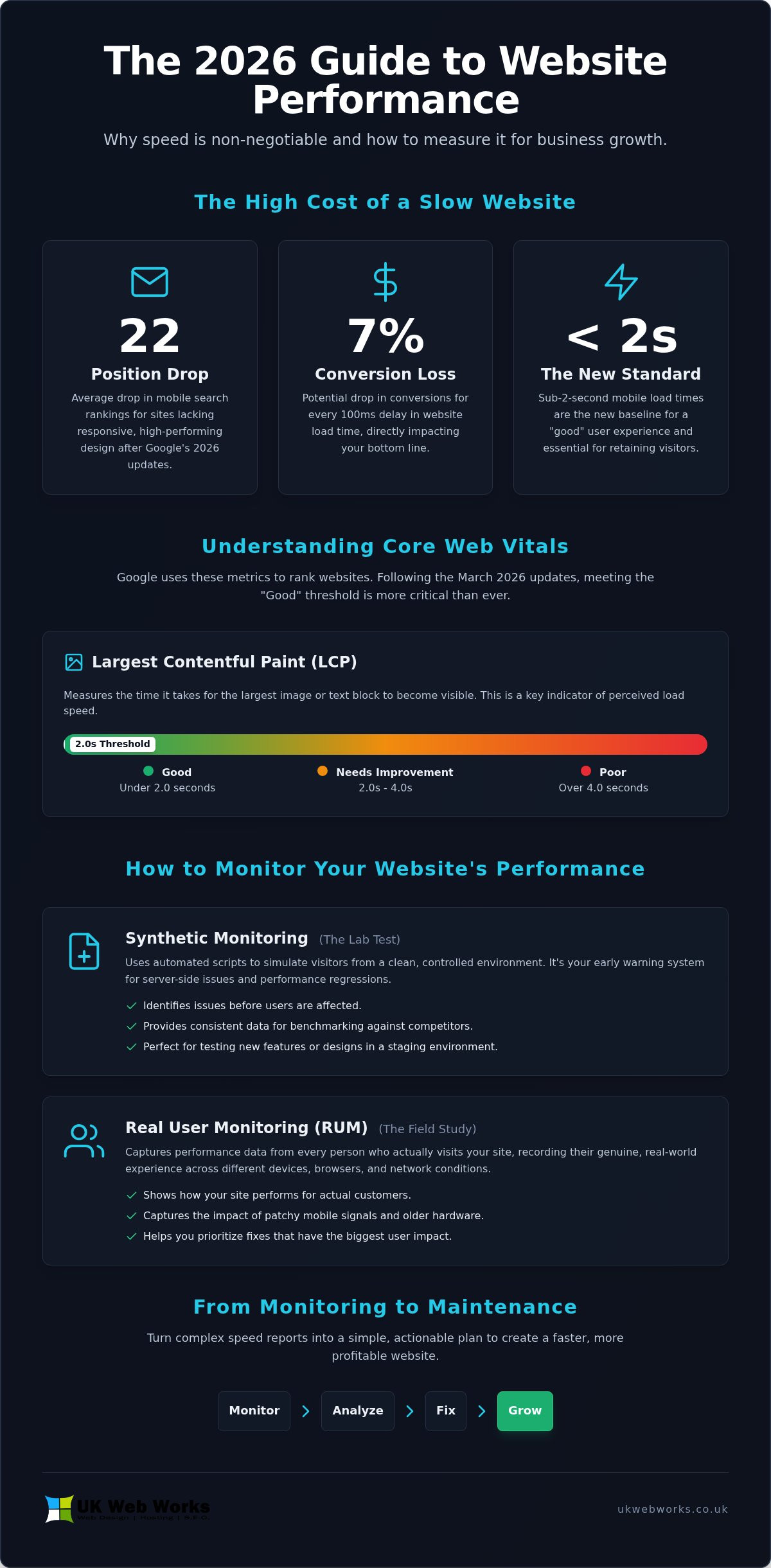
Did you know that following Google’s 2026 updates, websites lacking a responsive, high-performing design suffered an average drop of 22 positions in mobile search rankings? It’s a stark reminder that speed isn’t just a luxury; it’s the foundation of your digital presence. You’ve likely felt the frustration of staring at a report and trying to decode why your Largest Contentful Paint (LCP) is “poor” while your speed test results change every time you hit refresh. Finding the right website performance monitoring tools is the only way to know for sure if a slow site is costing you sales when the technical data feels like a foreign language.
We understand that you need answers, not more acronyms. We’ve put together this guide to help you move past the confusion of metrics like CLS and INP. You will discover the best tools to track your site speed and learn how to turn that data into a faster, more profitable website. We’ll look at which platforms provide the clearest alerts and show you how professional maintenance plans can handle the heavy lifting of technical fixes so you can focus on growing your business with confidence.
Key Takeaways
- Learn why sub-2-second mobile load times are the new baseline for success and how to keep your site meeting that standard.
- Discover how to choose between lab-based simulations and real-user data to get the most accurate picture of your site’s health.
- We review the top website performance monitoring tools available in 2026 to help you find the one that fits your budget and technical skills.
- Understand the “Core Web Vitals” that actually matter for your Google rankings, including how to stop elements from jumping around on the page.
- Move beyond analysis paralysis by learning how to turn complex speed reports into a simple, actionable maintenance plan.
Why Website Performance Monitoring is Non-Negotiable in 2026
Think of performance monitoring as a continuous health check for your digital presence. It isn’t just about knowing if your site is “up” or “down” in a binary sense. Instead, it involves the constant tracking of loading speeds, server responsiveness, and overall technical health. Using professional website monitoring allows you to see exactly how your site behaves every minute of the day. In a market where your website is often the first point of contact for a client, ensuring it stays healthy is simply good business practice.
Digital expectations have shifted significantly as we move through 2026. Users no longer have the patience for slow-loading pages, especially on mobile devices where the current standard for a “good” experience is a load time of under two seconds. If your site takes longer, you aren’t just testing a visitor’s patience; you’re likely driving them straight to a competitor. Relying on website performance monitoring tools gives you the data needed to spot these slowdowns before they become a permanent drain on your traffic.
Beyond the obvious speed issues, there’s the hidden cost of “silent” downtime. This happens when your website appears to be online, but critical functions like contact forms or checkout buttons have stopped working. Without automated alerts, these issues can persist for days, costing you sales without you ever realizing there was a problem. Modern website performance monitoring tools catch these functional failures instantly, allowing for a quick fix rather than a long-term loss of revenue.
The Link Between Speed and Your Bottom Line
It’s a simple equation: speed equals profit. Industry research indicates that even a 100ms delay in load time can drop your conversion rates by up to 7%. For businesses serving Hull and the wider UK, providing a snappy experience is a major competitive advantage. A fast site reduces your bounce rate, keeping local visitors engaged with your content rather than hitting the “back” button in frustration. When your site feels effortless to use, it builds a sense of brand trust and reliability that a sluggish site simply can’t match.
How Google Uses Performance Data for Rankings
Search engine rankings are now more tied to technical performance than ever before. Following Google’s March 2026 updates, the threshold for a “Good” Largest Contentful Paint (LCP) score has been tightened to under 2.0 seconds. If you fail to meet these Core Web Vitals, your visibility in search results will suffer. In fact, sites that haven’t optimized for mobile-first indexing saw an average drop of 22 positions in mobile search rankings this year. Consistency is key here; your site needs to perform reliably across all UK networks, from high-speed fibre to 4G and 5G mobile connections, to maintain its position at the top of the results page.
Synthetic vs. Real User Monitoring (RUM): Which Do You Need?
Choosing the right website performance monitoring tools often comes down to a choice between two distinct methodologies: synthetic monitoring and Real User Monitoring (RUM). Think of synthetic monitoring as a laboratory test. It uses automated scripts to check your site from a clean, controlled environment. RUM, on the other hand, is like a field study. It captures data from every person who actually visits your site, recording their real-world experience. Both play a role, but they solve very different problems for your business.
When to Use Synthetic Testing
Synthetic testing is your early warning system. Because it runs in a consistent “lab” environment, it’s perfect for identifying server-side issues without waiting for visitors to trigger an alert. If you are launching a new feature or a fresh design, you can use these tools to Improve User Experience Using Synthetic Monitoring before a single customer sees the page. It is also the best way to benchmark your site against competitors in York or Leeds. It provides a level playing field for comparison, showing how your infrastructure stacks up when external variables are removed.
The Power of Real User Data (RUM)
While synthetic tests are great for baselines, they can’t replicate the unpredictability of the real world. RUM shows you exactly how your site performs for a customer using an older smartphone while on a train through East Yorkshire. It captures the impact of patchy 4G signals, different browser versions, and varying device speeds. This data is invaluable for identifying specific bottlenecks that only appear under certain conditions. If your code is struggling on a specific version of Safari, RUM will tell you. A synthetic test might miss it entirely because it uses a modern, high-speed connection.
A balanced strategy uses both. Synthetic tests help you catch major outages and server slowdowns instantly. RUM helps you understand the “actual” experience your customers are having right now. For many small business owners, the cost of RUM can be slightly higher due to the volume of data processed, but the value lies in knowing exactly where you are losing potential sales. If the technical side of this feels overwhelming, you can always reach out for a professional review of your current setup.
We recommend starting with synthetic monitoring for its reliability and lower entry cost. Once your baseline is stable, adding RUM provides the granular detail needed for high-level optimization. Together, these website performance monitoring tools ensure that your site isn’t just fast in theory, but fast for every person who tries to use it.
The Best Website Performance Monitoring Tools Reviewed
Selecting the right website performance monitoring tools doesn’t have to be a headache. You need a setup that gives you clear answers without drowning you in data you’ll never use. We’ve narrowed the field down to four essential options that offer the best balance of accuracy and usability for 2026:
- GTmetrix: This remains a favorite for its visual loading reports. Its Waterfall charts show exactly which script or image is slowing things down. With plans starting as low as $5.99 per month for the Lite tier, it’s an affordable way to get detailed technical insights.
- Pingdom: Best for those who aren’t technical experts. It provides simple, reliable uptime monitoring and quick speed snapshots, with synthetic monitoring starting around $10 per month.
- Google PageSpeed Insights: This is the essential, free starting point for any SEO strategy. It uses real-world data from the Chrome User Experience Report to show exactly how Google views your site.
- DebugBear: This is the top choice for tracking 2026’s stricter Core Web Vitals. While its Startup plan begins at $125 per month, it provides the most comprehensive tracking for metrics like Interaction to Next Paint (INP).
Free vs. Paid: Finding the Right Balance
You can get a lot of value for £0. Google Search Console and manual tests through PageSpeed Insights are great for occasional check-ups. However, it’s time to upgrade to a paid monitoring subscription when you need automated alerts and historical data. A paid tool monitors your site while you sleep, catching issues the moment they happen. Avoid “feature bloat” by choosing a tool that fits your specific needs. You don’t need enterprise-level logs if you’re running a local service business.
Testing from the UK: Why Server Location Matters
Many businesses make the mistake of testing their site from a default US-based server. If your customers are in Hull, York, or Leeds, this data is misleading. Distance creates latency. A site that looks slow from Virginia might be lightning-fast for someone in East Yorkshire. When configuring your website performance monitoring tools, always select a testing node in London or Manchester. This ensures the data reflects the actual journey your local customers take, providing a much more accurate picture of your site’s true performance. If you find these technical configurations confusing, our team can help you set up a monitoring system that makes sense for your business.
Key Metrics to Track (Beyond Just “Speed”)
When you look at a report from your chosen website performance monitoring tools, it’s easy to get lost in the jargon. While “speed” is the word everyone uses, Google actually looks at several specific behaviors to decide if your site is healthy. Understanding these metrics helps you see exactly where your user experience might be breaking down. It’s not just about a single number; it’s about how the page feels to a real person.
Largest Contentful Paint (LCP) measures how long it takes for the biggest piece of content on your screen to appear. In 2026, Google expects this to happen in under 2.0 seconds. If your hero image or main headline takes three seconds to show up, users feel like the site is stalling. Then there is Cumulative Layout Shift (CLS). This measures visual stability. Have you ever tried to click a button only for it to jump down the page because an ad or image finally loaded? That is a poor CLS score. To stay in Google’s good books, your CLS score must be under 0.1.
Interaction to Next Paint (INP) is the newest heavyweight metric. It tracks how quickly your site responds when someone clicks a link or a menu. A responsive site should have an INP of under 200ms. Finally, Time to First Byte (TTFB) is a direct reflection of your hosting quality. It measures how long the server takes to send the very first piece of data. If your TTFB is high, even the most optimized code won’t save you from a slow start. It’s often the first sign that your hosting plan is struggling to keep up.
Simplifying Core Web Vitals for 2026
Visual stability is now just as important as raw speed. Google uses a simple traffic light system in Search Console to show you where you stand. Green means “Good”, amber means “Needs Improvement”, and red means “Poor”. You don’t need to be a developer to read these reports; you just need to know which pages are stuck in the red. If your main service pages are amber or red, you are likely losing visibility in local search results to competitors who have prioritized these fixes.
Uptime and Error Monitoring
Uptime is the foundation of your digital reputation. A 99.9% uptime rate is the absolute bare minimum for any professional business. If your site is down for even an hour, you’re missing inquiries and damaging trust. Good website performance monitoring tools will also alert you to 404 errors or broken contact forms. There is nothing worse than paying for marketing only to find out your “Contact Us” button hasn’t worked for three days. Monitoring ensures you catch these functional failures before your customers do.
If your current reports are showing too much red and amber, it’s time to take action. You can book a performance audit with our team to get those metrics back into the green and ensure your site is working as hard as you are.
From Monitoring to Maintenance: How to Fix Performance Issues
Most performance issues stem from a few common culprits that you can address relatively quickly. Image optimization is often the easiest win. By compressing large files and using modern formats like WebP, you can significantly reduce page weight without losing visual quality. Effective caching and smart script management are also vital. If your site is loading unnecessary third-party scripts or tracking pixels before the main content, your users will feel that delay. Cleaning up these elements can often move your metrics from amber to green without needing a full redesign.
Another factor to consider is your hosting environment. Even the most optimized website will struggle if the server it lives on is slow or overcrowded. Tracking your Time to First Byte (TTFB) helps you see if your hosting is the bottleneck. If it is, moving to a managed hosting solution can provide an instant boost to your response times. It’s about looking at the whole picture rather than just focusing on one or two metrics in isolation, ensuring every layer of your digital presence is working correctly.
The DIY vs. Managed Maintenance Debate
It’s tempting to try and fix core code issues yourself, but this carries significant risks. Making changes to your site’s architecture without technical training can lead to broken layouts or even complete downtime. Our website maintenance packages are designed to take this burden off your shoulders. We handle the performance fixes, security updates, and database optimization, giving you the peace of mind that comes with having a jargon-free expert partner. You get the speed you need without the technical headache.
Building for Performance from Day One
Sometimes, the issue isn’t a single script but the foundation itself. Off-the-shelf templates are often bloated with unnecessary features, which slows down your site from the start. This is why bespoke web design hull is so effective for long-term SEO success. By building with clean, lightweight code tailored specifically to your business, we ensure your site is fast by default. It’s a craftsmanship-focused approach that pays dividends in search rankings and user trust for years to come.
Ready for a faster site? Contact UK Web Works for a no-nonsense performance audit and let’s get your website running at its full potential.
Take Control of Your Digital Performance
Since 2014, we’ve been helping local businesses across Hull, York, and Leeds build a stronger presence online. We believe in bespoke, high-performance web design that prioritizes clean code and real results over off-the-shelf shortcuts. If you’re tired of confusing reports and want a clear path forward, we’re here to help you simplify the technical side of things. You don’t have to tackle these fixes alone.
Ready to see how your site stacks up? Get a Jargon-Free Performance Audit for Your Business today. Let’s work together to make your website faster, more reliable, and ready for whatever comes next.
Frequently Asked Questions
What is the best free website performance monitoring tool?
Google PageSpeed Insights is widely considered the best free option because it uses real-world data from the Chrome User Experience Report. It gives you a direct look at how Google evaluates your site’s health. For basic uptime alerts without a monthly fee, the free tier of Better Stack is also a reliable choice. These website performance monitoring tools provide a solid starting point for any small business owner on a budget.
How often should I check my website speed in 2026?
You should move away from occasional manual checks and use continuous, automated monitoring instead. In 2026, user expectations are higher than ever, and a site that was fast yesterday could be slowed down by a new plugin or a server issue today. Setting up real-time alerts ensures you are the first to know when your load times slip above the recommended two-second threshold, allowing for immediate technical fixes.
Will a slow website really hurt my Google rankings in the UK?
A slow website will definitely damage your visibility in UK search results. Following Google’s March 2026 Core Update, sites that failed to meet mobile-first performance standards saw an average drop of 22 positions in rankings. Speed isn’t just a technical metric anymore; it’s a primary ranking signal. If your competitors in the UK have faster sites, Google is much more likely to prioritize their content over yours.
What is the difference between uptime and performance monitoring?
Uptime monitoring is a simple check to see if your website is accessible or completely “down.” Performance monitoring is more nuanced, as it tracks how quickly your pages load and how stable they feel during use. A site can be “up” but so slow that it’s effectively useless to your customers. Using comprehensive website performance monitoring tools helps you catch both total outages and the “silent” slowdowns that cost you sales.
Do I need a developer to use these performance tools?
You don’t need a developer to run many of these tools and get a baseline report on your site’s health. Platforms like Pingdom and GTmetrix are designed with user-friendly dashboards that don’t require technical expertise to understand. However, fixing the specific code issues or server bottlenecks identified in those reports usually requires the skills of a professional developer. It’s about knowing when to monitor and when to call in an expert.
How can I test my website speed from a UK location?
You can test your local speed by selecting a UK-based testing node in your tool’s settings. Most professional monitoring platforms allow you to choose a specific server location, such as London or Manchester. This is vital for businesses in Hull or York, as testing from a US server will add artificial lag to your results. Always ensure your data reflects the actual connection path your local customers are taking.
What are Core Web Vitals and why do they matter for my Hull business?
Core Web Vitals are a set of three specific metrics, LCP, CLS, and INP, that measure how fast and stable your site feels to visitors. For a local business in Hull, these metrics are crucial because they directly influence your position in Google’s search results. Passing these tests tells Google that your website provides a high-quality experience, making you more likely to beat out local competitors who ignore their technical health.
Can my web hosting affect the results of monitoring tools?
Your web hosting is the single most important factor in your initial performance scores. Monitoring tools specifically track “Time to First Byte” (TTFB), which is a direct measurement of how quickly your server responds to a request. If your hosting provider uses outdated hardware or overcrowded servers, your site will always struggle to meet 2026 speed standards. High-quality managed hosting is often the quickest way to improve your monitoring results.